Wilson Le

Forward Deployed Engineer at Lyra

Skip to work

Work

  1. Kalibr

    Competitive games, with a deeper view of how people play.

    Open Kalibr ↗
    My part
    • Built the game library UI and player-facing workflows.
    • Built analytics pipelines to process gameplay into useful reporting.
    • Developed admin panels for engagement, product usage and game-specific analysis.
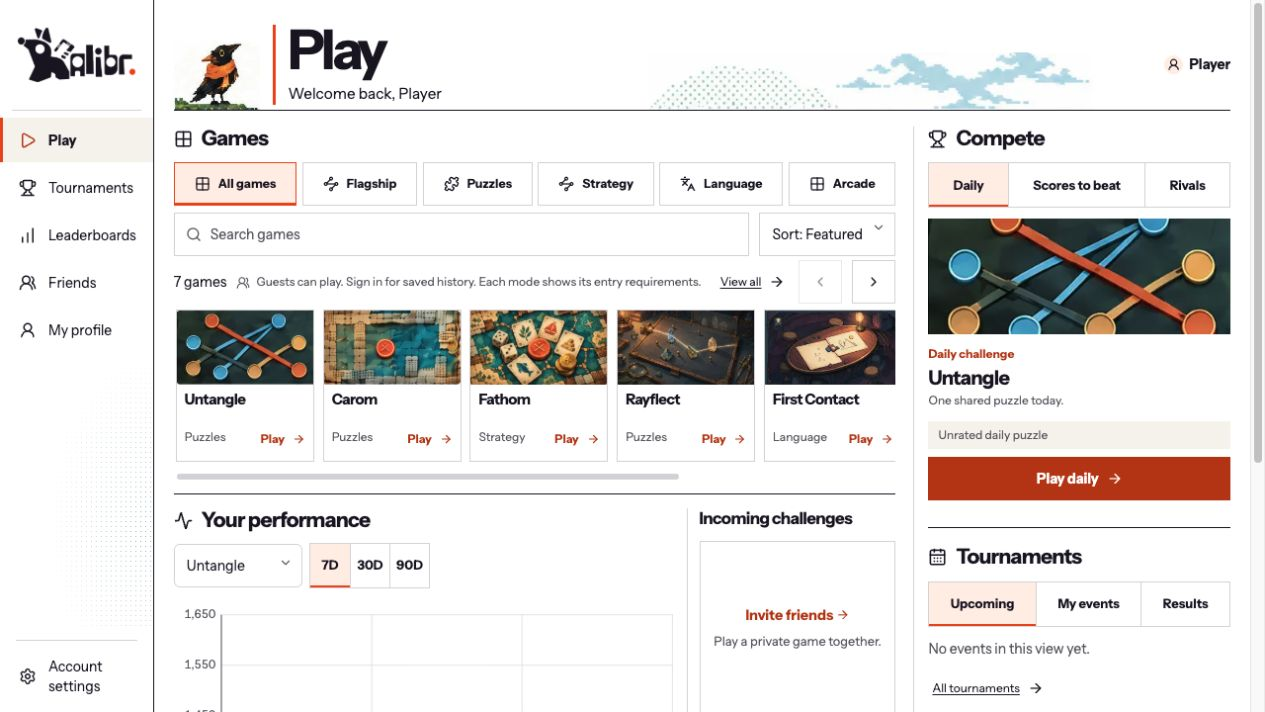
    Kalibr game library with category filters, search, game cards, daily challenges and player-performance navigation.

    A library made for finding the next challenge.

    Browse games by category, search the library and choose a mode. Daily challenges, tournaments and performance sit alongside the games.
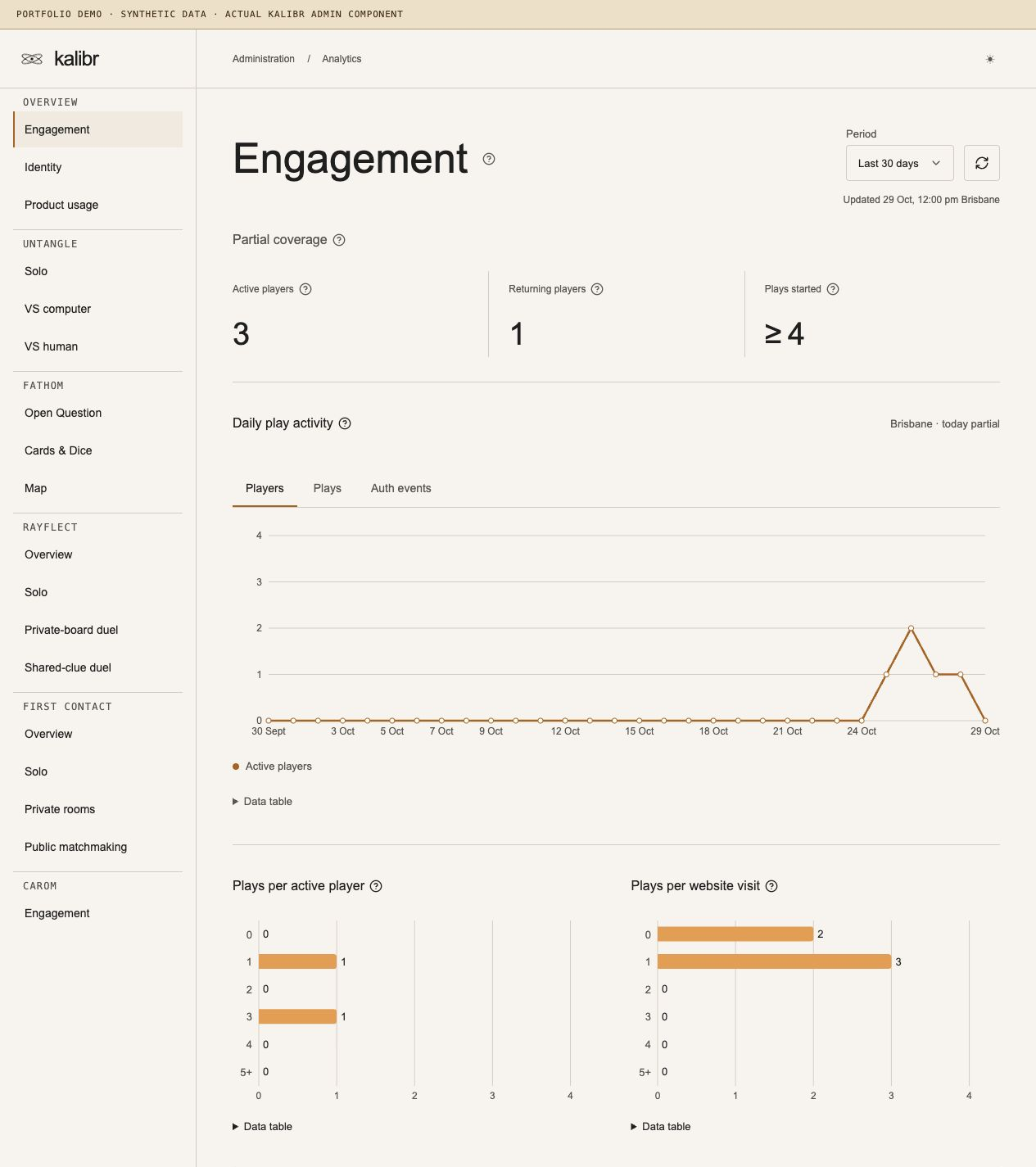
    Kalibr admin engagement panel with labelled synthetic demo data, activity metrics, charts and game-specific navigation.

    Analytics in the admin panel.

    Process gameplay into engagement, product-usage and game-specific reports. Inspect the results in the admin panel, with period filters and explicit coverage limits. Shown with synthetic demo data; the counts are illustrative.
  2. Pangea Chat

    Learn a language through conversation.

    Open Pangea Chat ↗
    My part
    • Built the frontend and AI assistant.
    • Developed FastAPI services for LLM workflows.
    • Built CI/CD, monitoring and incident response.
    • Spearheaded agentic software development across the team, streamlining our feedback-to-spec-to-feature pipeline. Agents turned feedback from 15-minute user playtests into todos; I signed off on implementation, testing and deployment, with most changes shipped the same day.
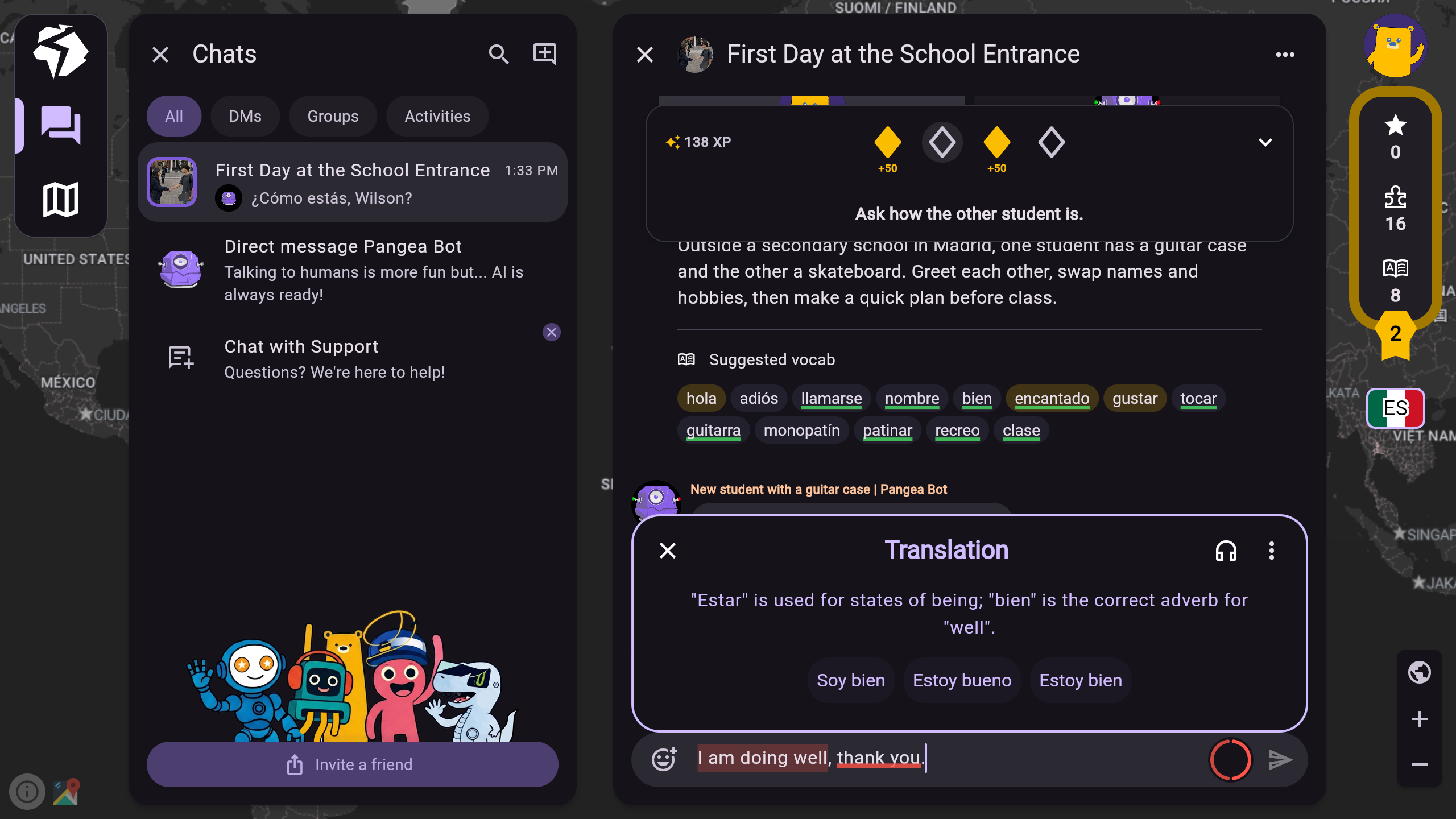
    Close-up of the Pangea Chat sentence builder, with translation choices and explanations before sending a message.

    Sentence builder

    Build a sentence with translation choices and explanations before sending.

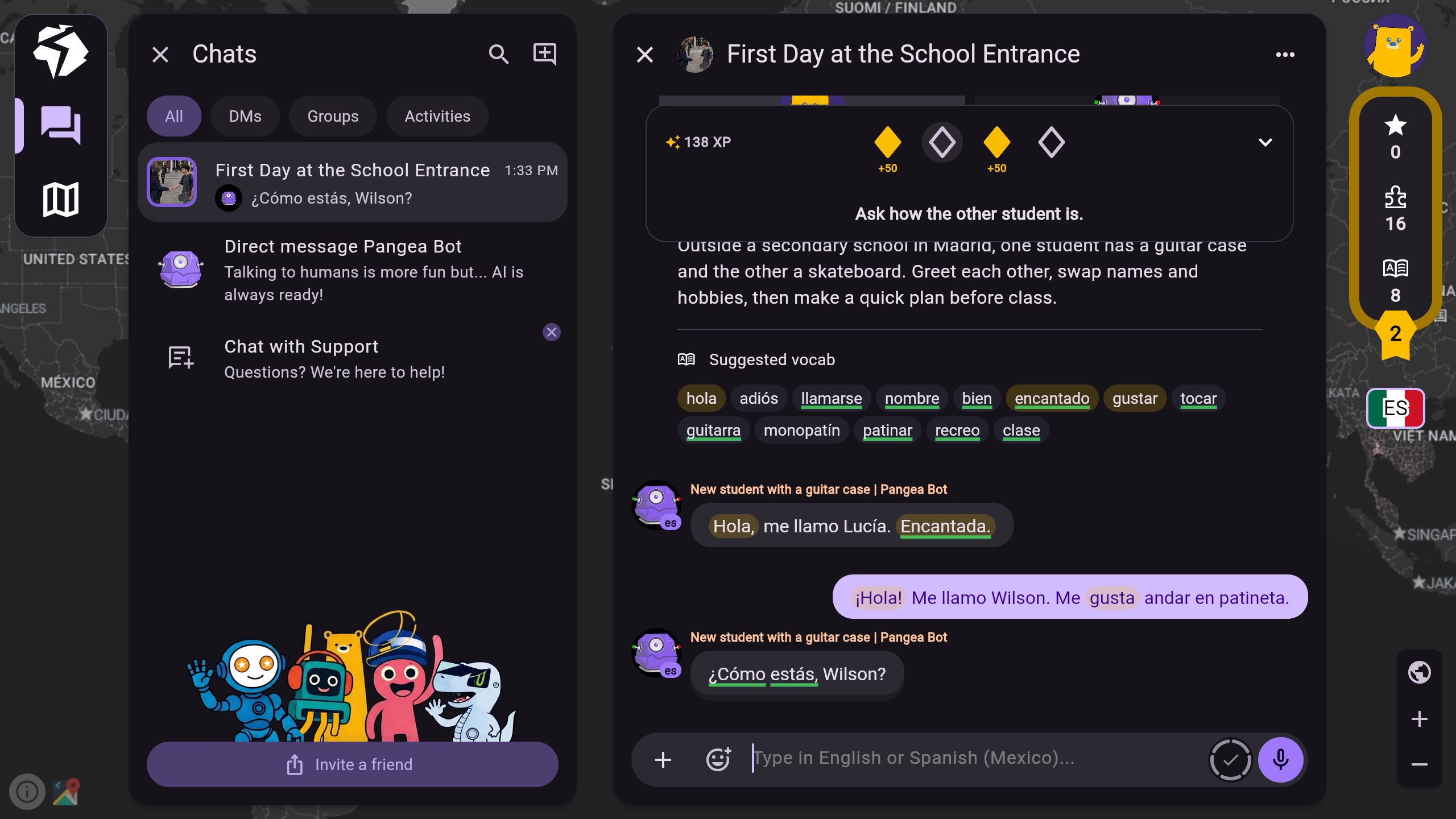
    Close-up of a Pangea Bot Spanish role-play conversation and vocabulary suggestions.

    Pangea Bot

    Practise a language through a guided conversation with Pangea Bot.

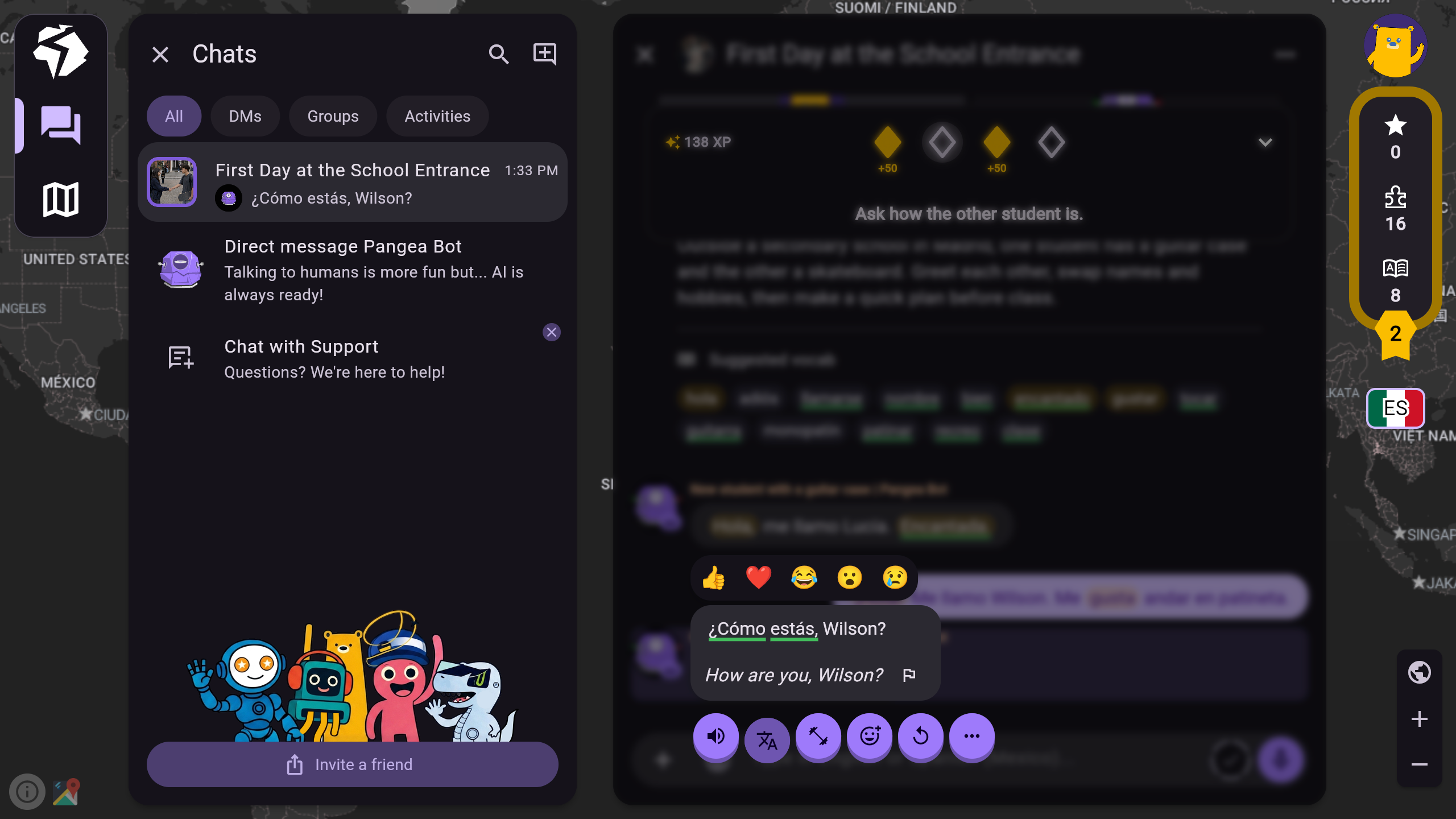
    Pangea Chat message interpreter showing the Spanish message ¿Cómo estás, Wilson? together with its English translation inside the chat.

    Message interpreter

    Read an incoming message with its translation, without leaving the conversation.

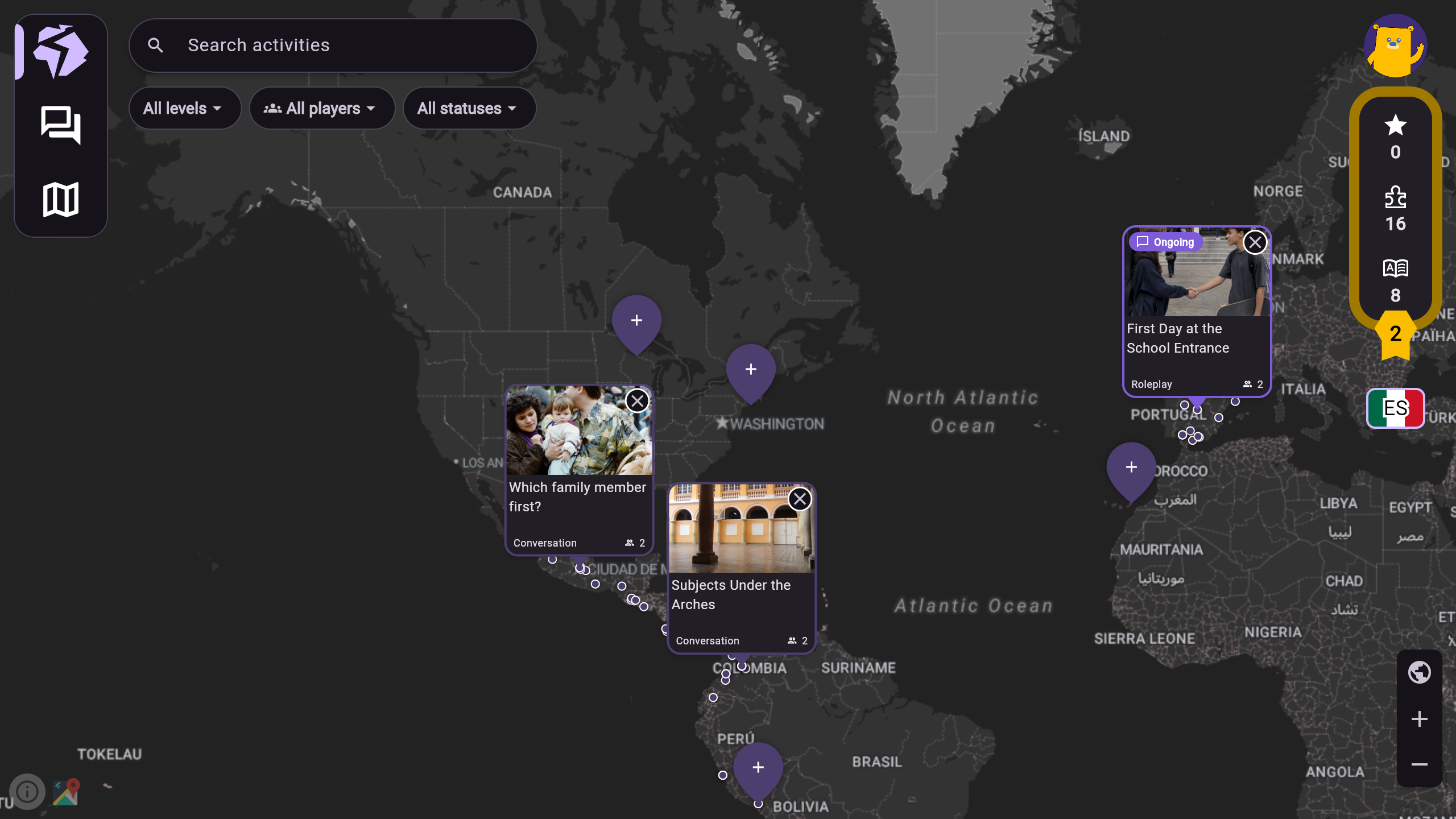
    Close-up of Pangea Chat world-map conversation activities.

    World-map group chats

    Find conversations on the world map and practise with other people.

  3. CYOBot

    From learning to building with robots.

    Open Robotics Quest ↗
    My part
    • Founding software engineer.
    • Led the landing page, instructor dashboard and student dashboard.
    • Streamlined internal operational processes.
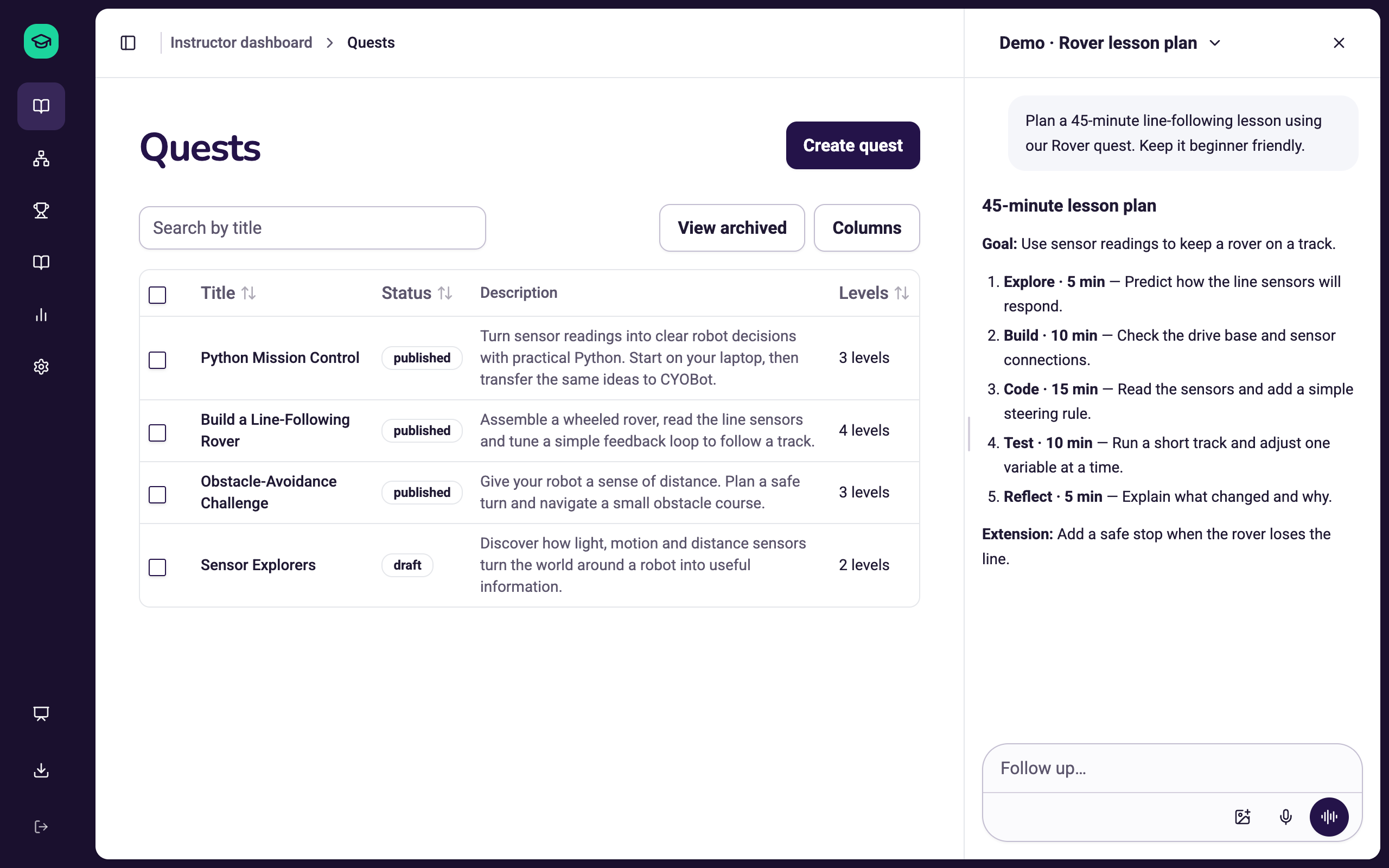
    CYOBot Instructor quest catalogue with four demo robotics quests, publication states, level counts and an illustrative lesson-planning chat on the right.
    A real CYOBot quadruped using its distance sensor on a wooden floor.

    Teach, with help at your side.

    Manage robotics quests and levels with a sample lesson-planning conversation alongside.

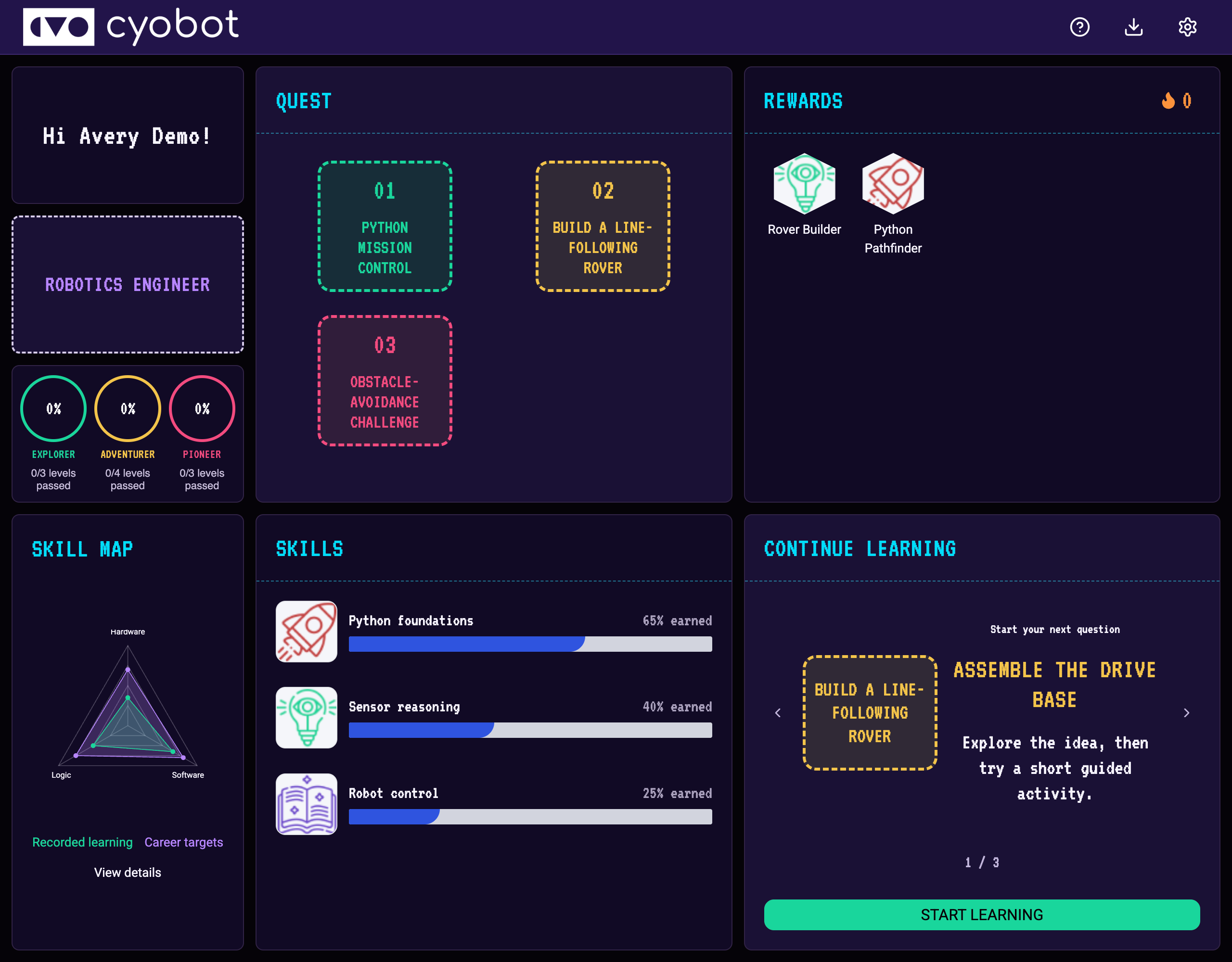
    CYOBot student dashboard for Avery Demo, with demo robotics quests, sample skills and rewards, a career skill map and learning shortcuts.
    A real CYOBot robot balancing as its support is tilted.

    A student’s starting point.

    A demo student workspace with robotics quests, skill progress, rewards and a career skill map.

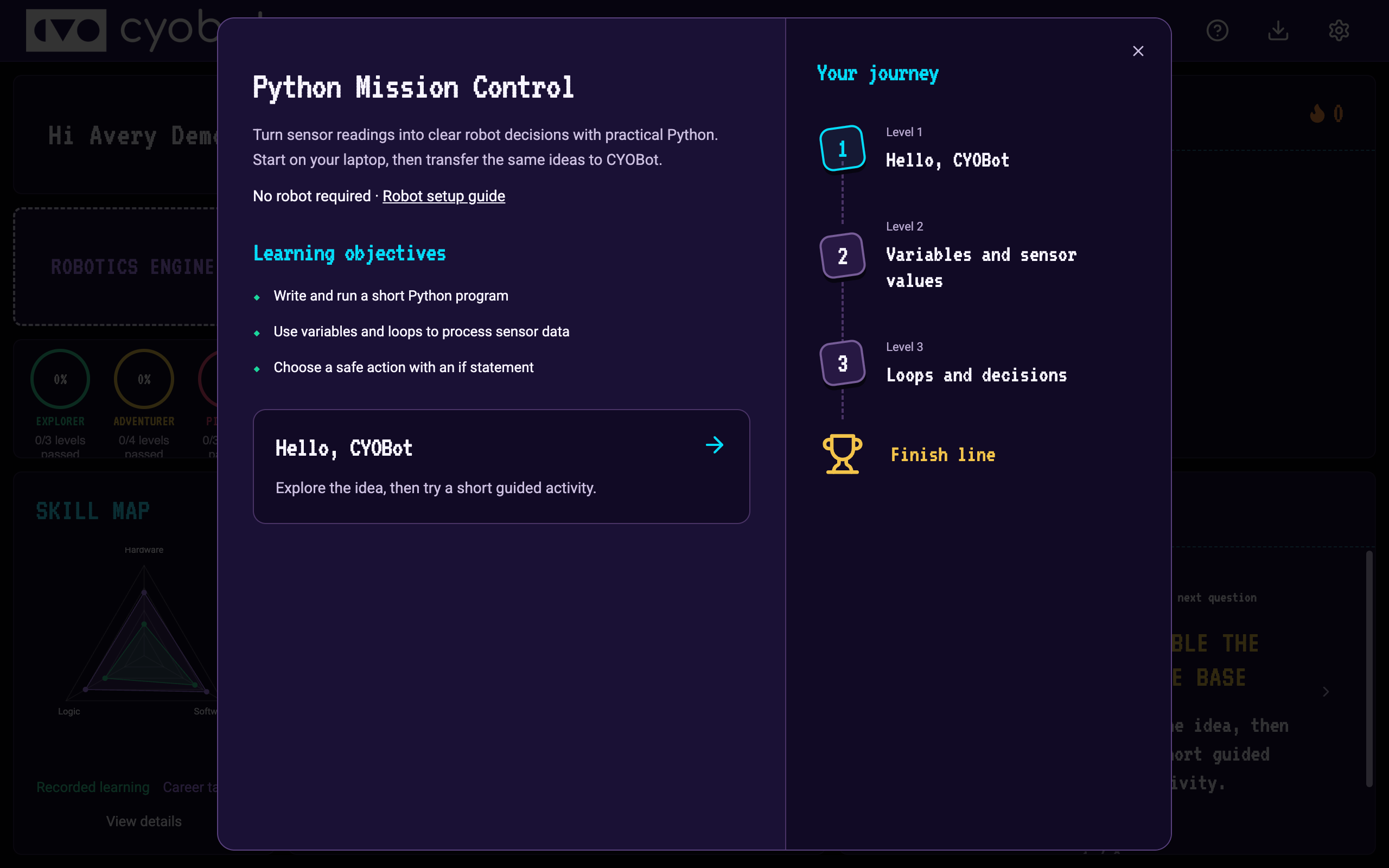
    CYOBot Python Mission Control demo quest preview with learning objectives and a three-level learning journey over the student dashboard.
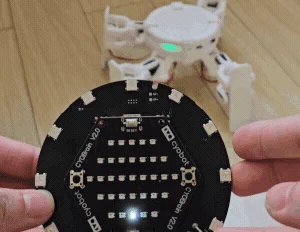
    A real CYOBot robot operated with a handheld controller.

    Python coding quest

    A demo Python quest brings together learning objectives and a three-level journey.

  4. Vulcan Augmetics

    The internal platform behind the prosthetics.

    My part
    • Founding software engineer.
    • Led the internal admin dashboard and access-control system.
    • Led telemetry, monitoring and the on-call support system.
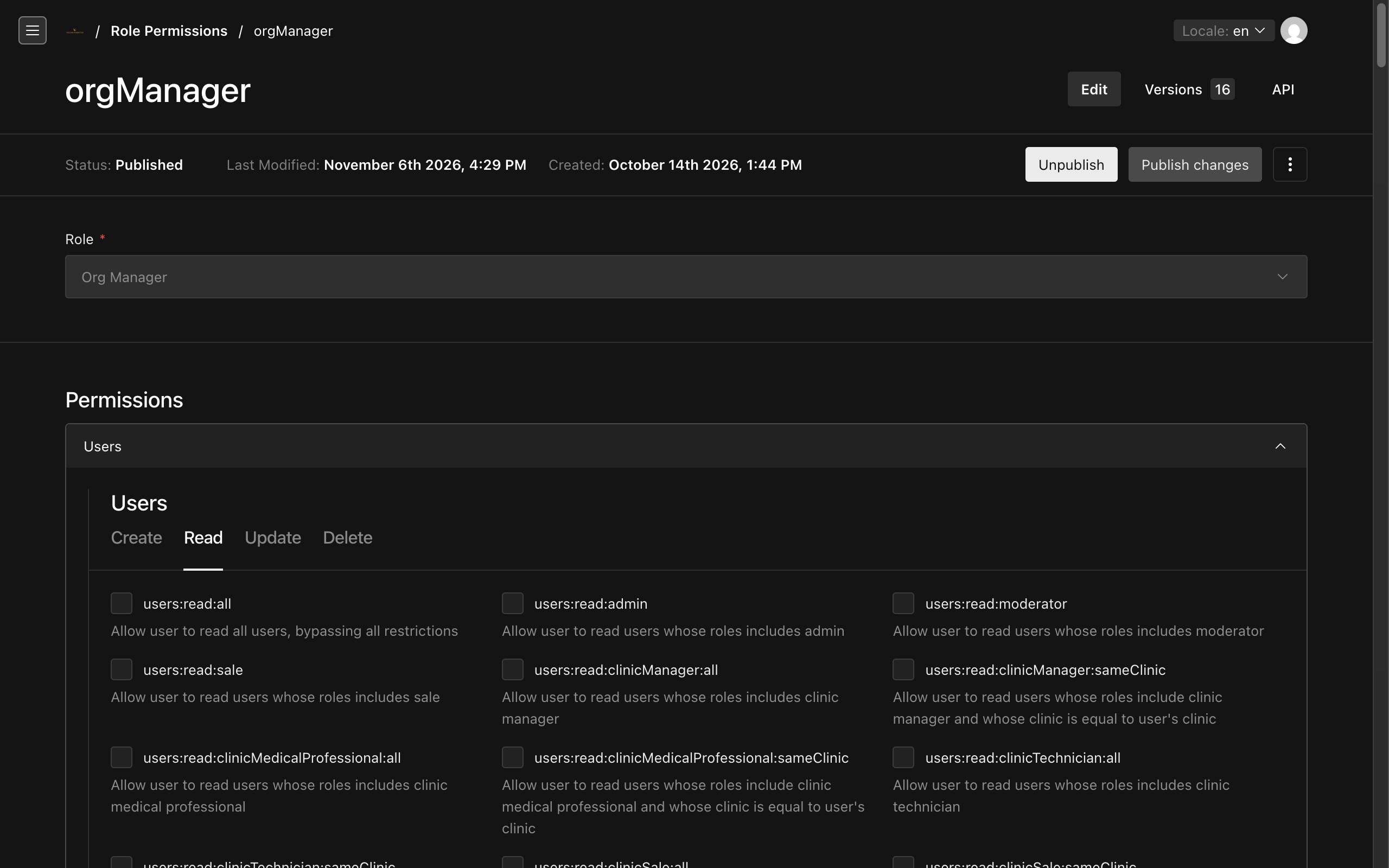
    Vulcan permission editor with the organisation-manager role, Create/Read/Update/Delete tabs and role-plus-same-clinic rules.

    Roles. Attributes. Clear access.

    I implemented access controls that combine roles with conditions such as the user’s clinic to determine which records they can access.

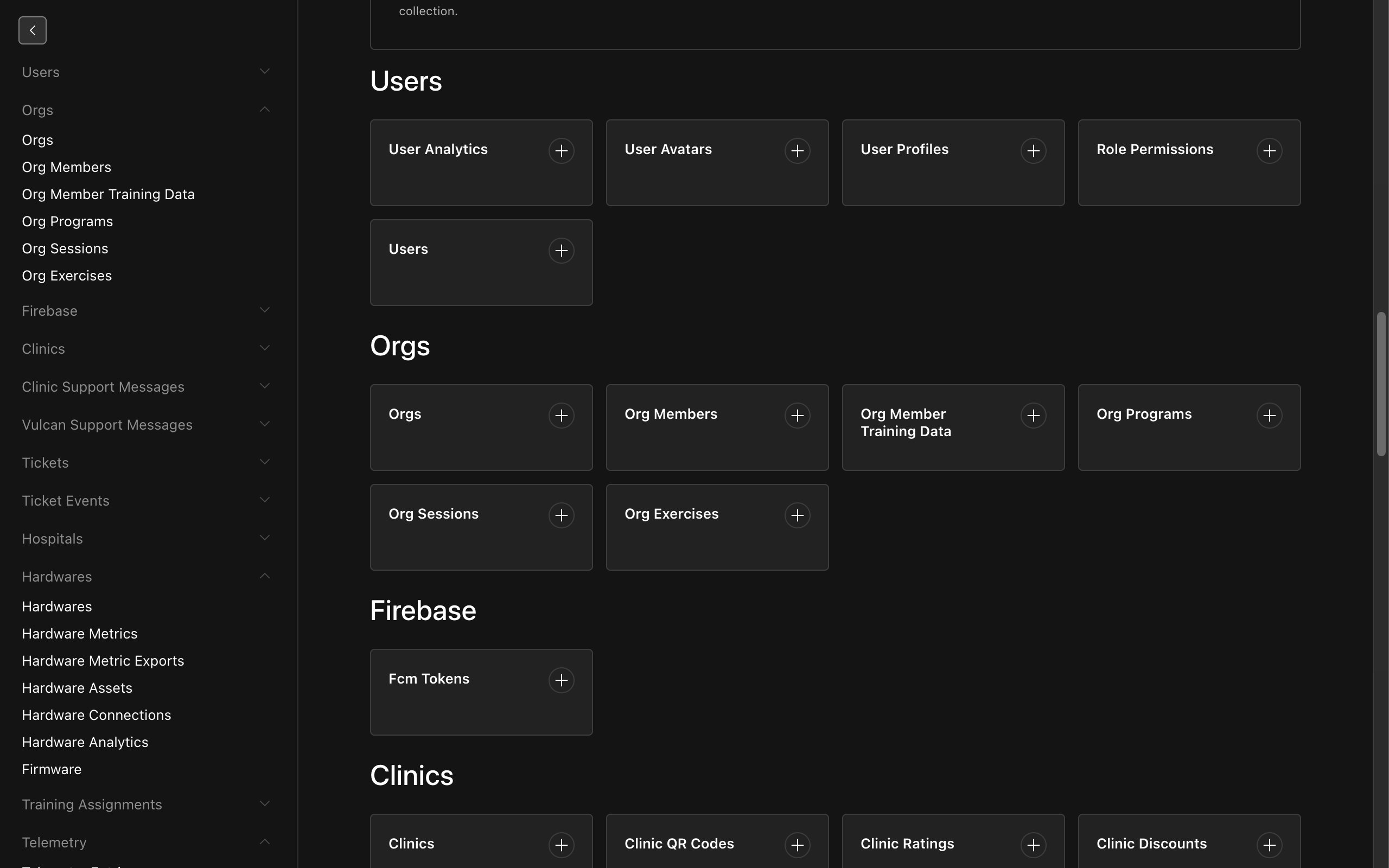
    Vulcan internal CMS with full navigation and collections for users, organisations, sessions and exercises.

    One place to manage the work.

    I built the internal CMS and admin workflows for managing users, organisations, sessions and exercises.

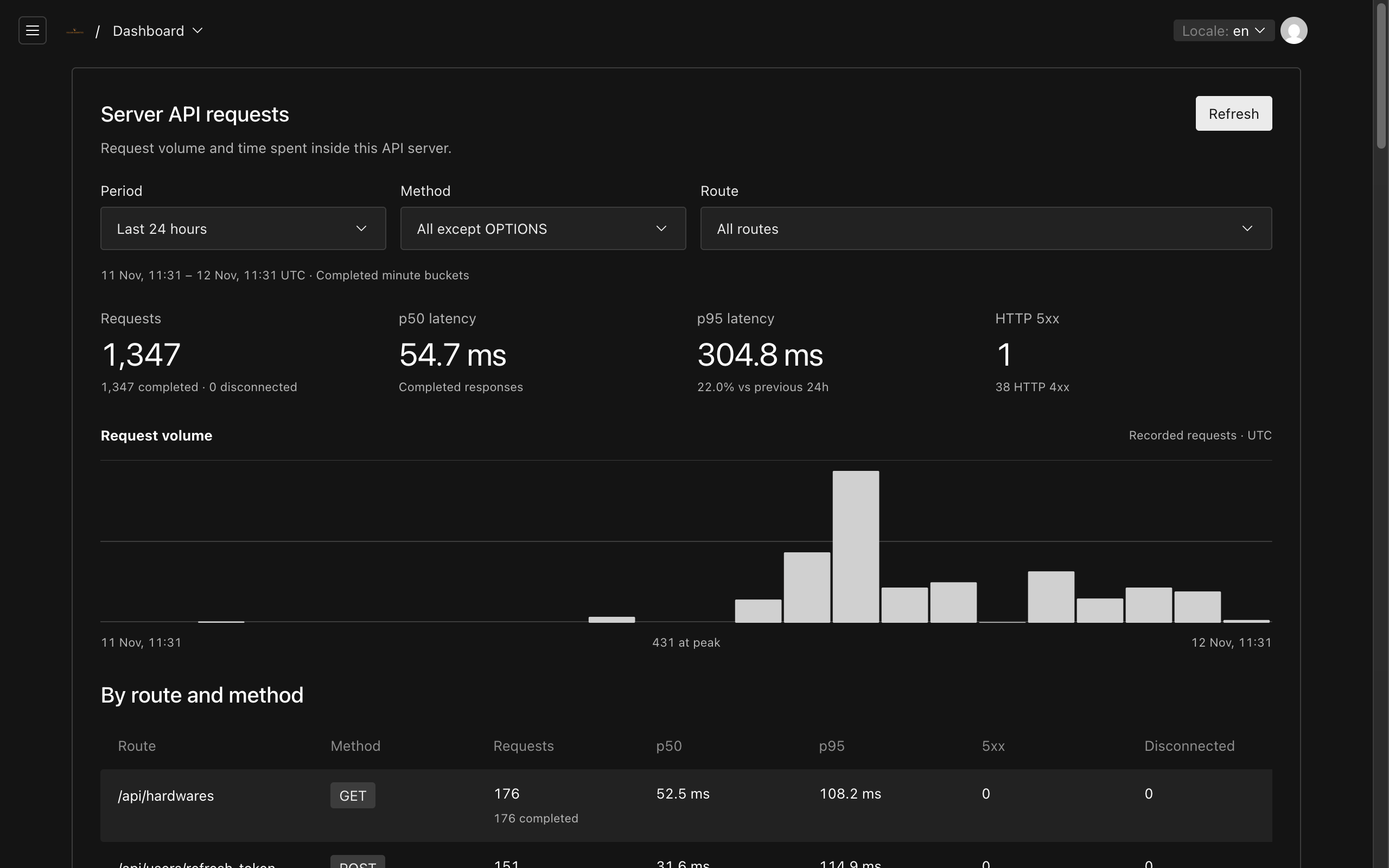
    Vulcan internal monitoring dashboard with aggregate API volume, latency, errors and time-window filters.

    Production monitoring

    I added API telemetry and monitoring for request volume, latency and errors.

  5. LocalCut

    Fully open source. Video editing entirely in your browser.

    Open LocalCut ↗
    Features
    • Trim, arrange and layer media on a multitrack timeline.
    • Index source clips with previews, context and transcripts for agent-assisted editing.
    • Let any agent with browser access control the app through WebMCP.
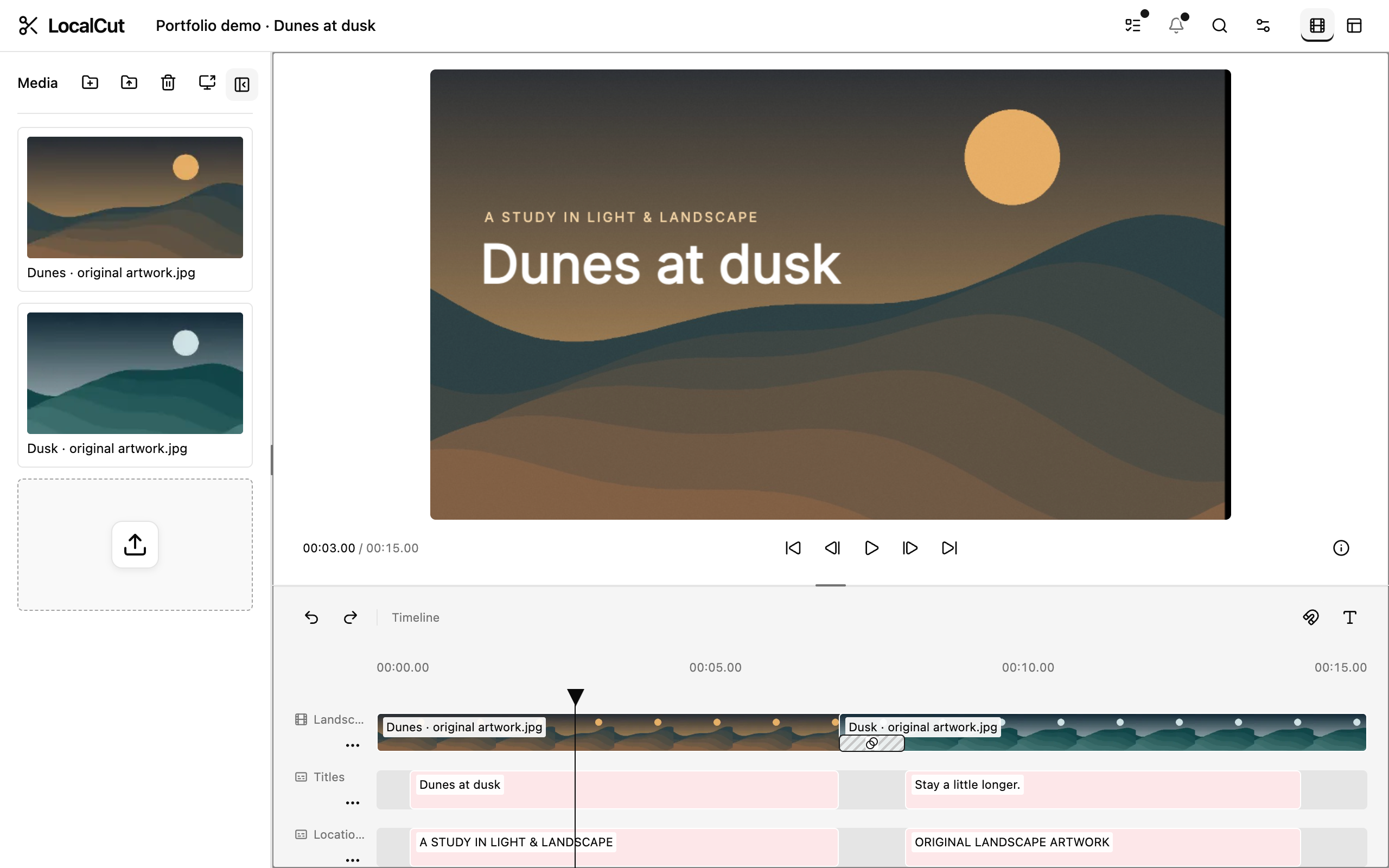
    LocalCut with a populated demo project, original landscape artwork, a video preview, three timeline tracks and a crossfade.

    A timeline for the whole edit.

    Arrange media across tracks, trim clips, layer titles and add transitions. Inspect the sequence on the timeline and let an external agent help make the edit.

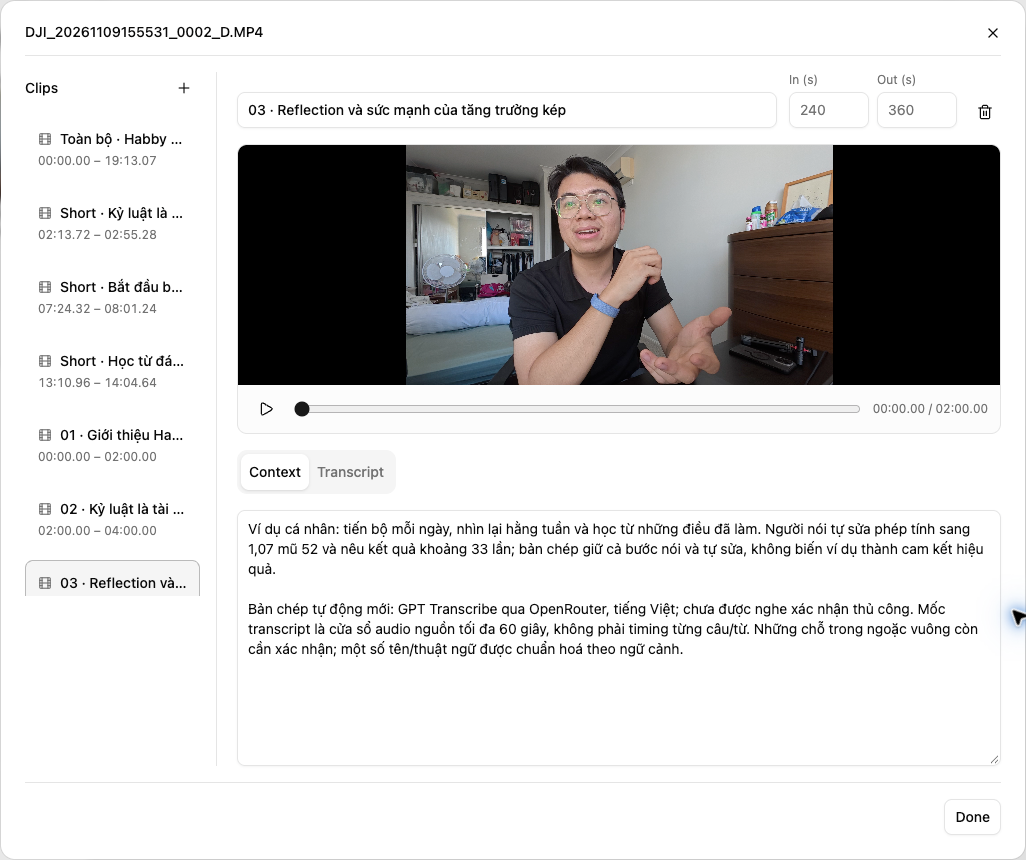
    LocalCut asset-index clip editor with source ranges, named clips, video preview, context and transcript tabs.

    An asset index agents can work with.

    Organise source media into named clips with in/out points, previews, context and transcripts. An external agent can use that index to find the right material and plan an edit.

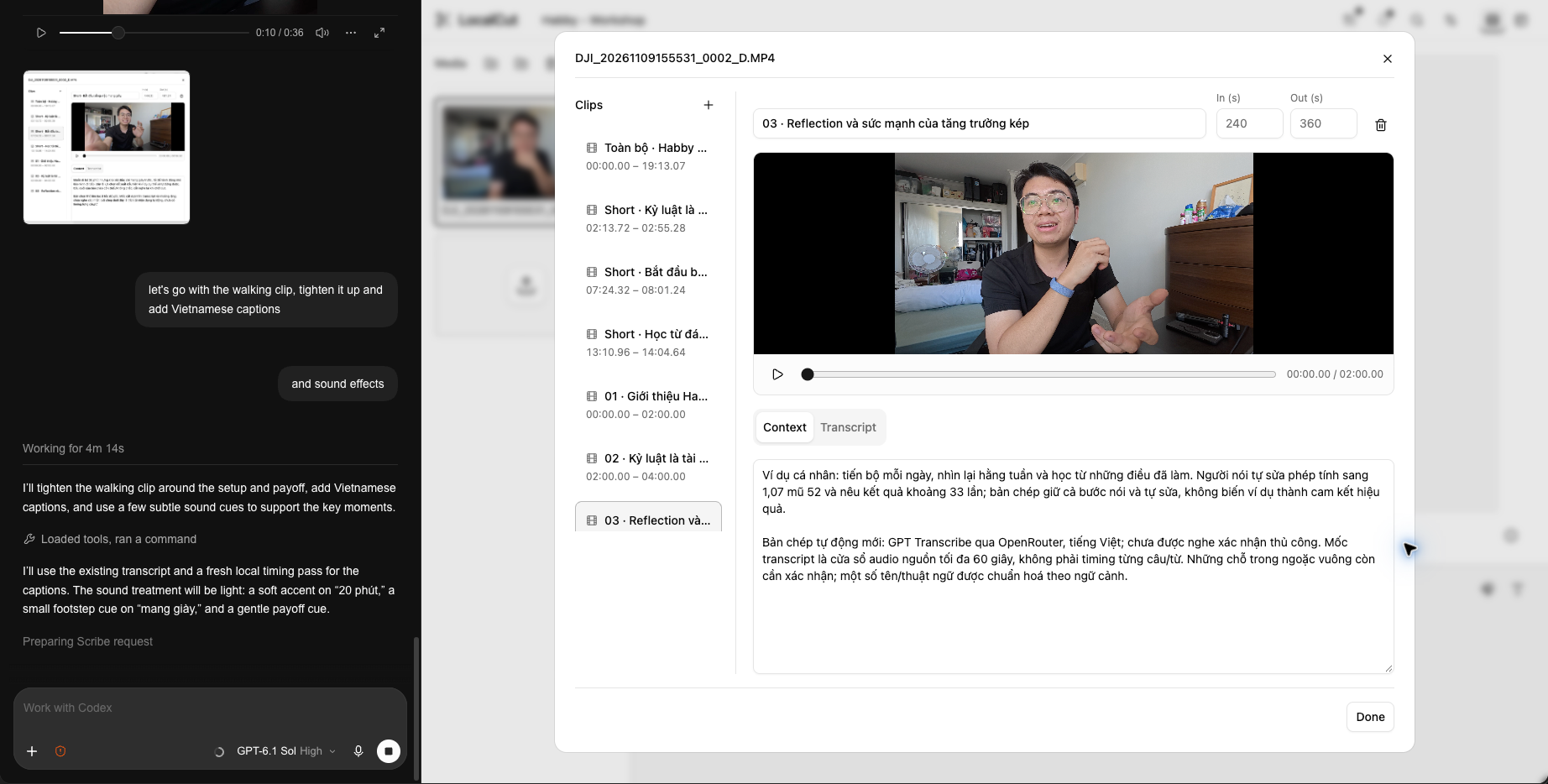
    An external-agent conversation beside LocalCut, with a video preview, clip list and context dialog visible in the editor.

    Edit with an external agent.

    Use WebMCP tools to let an external agent work in the editor. Steer the edit in conversation while clips, context and transcripts stay visible in LocalCut.

  6. LocalDesign

    Fully open source. Design entirely in your browser.

    Open LocalDesign ↗
    Features
    • Organise work across pages, editable layers and frames.
    • Compose and refine designs directly on a browser-local canvas.
    • Let external agents control the design through WebMCP.
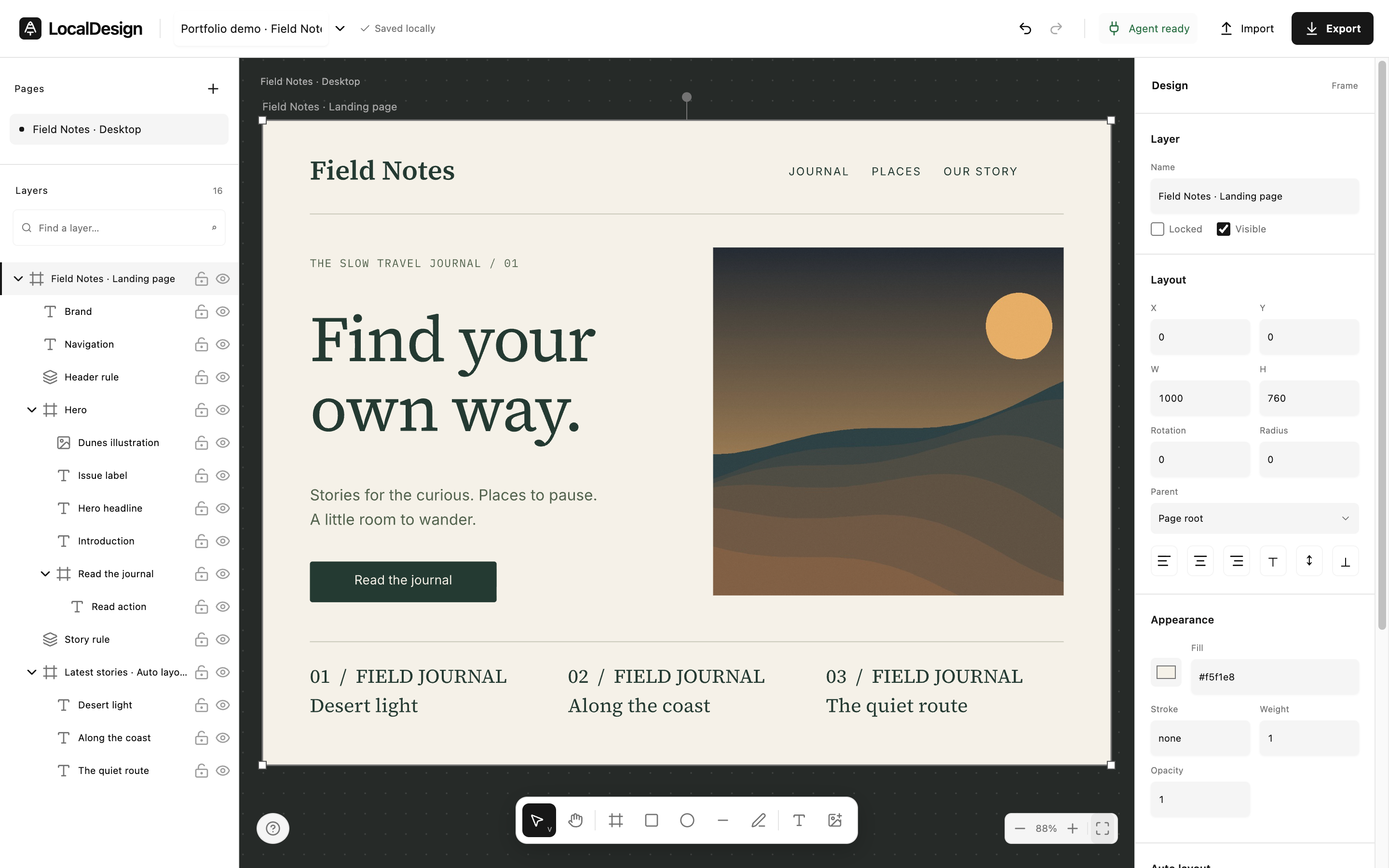
    LocalDesign with the Field Notes demo composition, semantic layers, drawing toolbar and frame inspector visible around the full canvas.

    A canvas built around editable layers.

    Compose frames, shapes, images and text on a local canvas. Organise the design with nested layers and frame layouts, keeping every element editable.

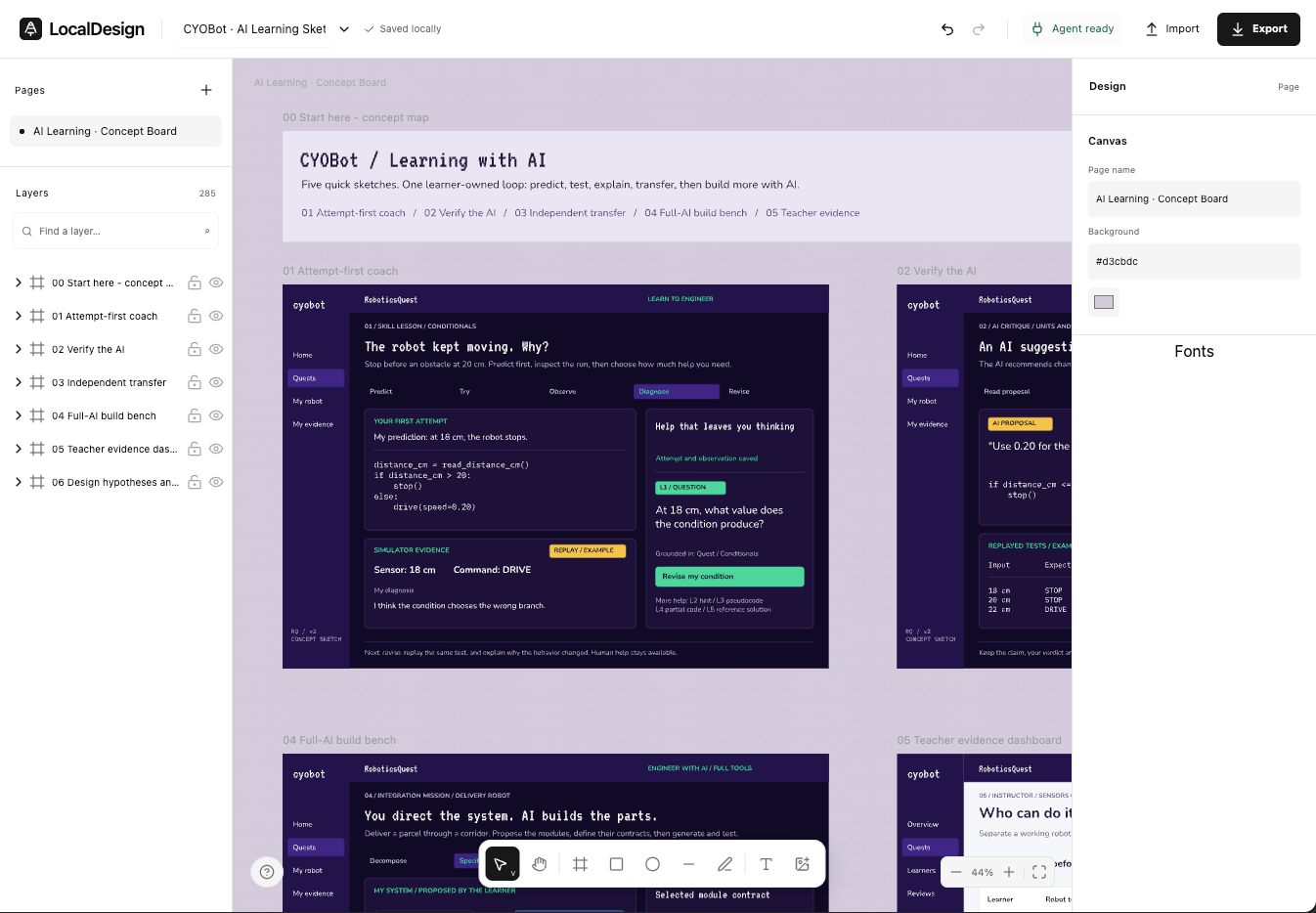
    LocalDesign concept board with a Pages list, a nested Layers tree, several editable frames and the page inspector.

    Pages, layers and frames.

    Keep separate ideas on pages, organise objects in a layer tree and build compositions inside frames. The same editable structure is available to an external agent.

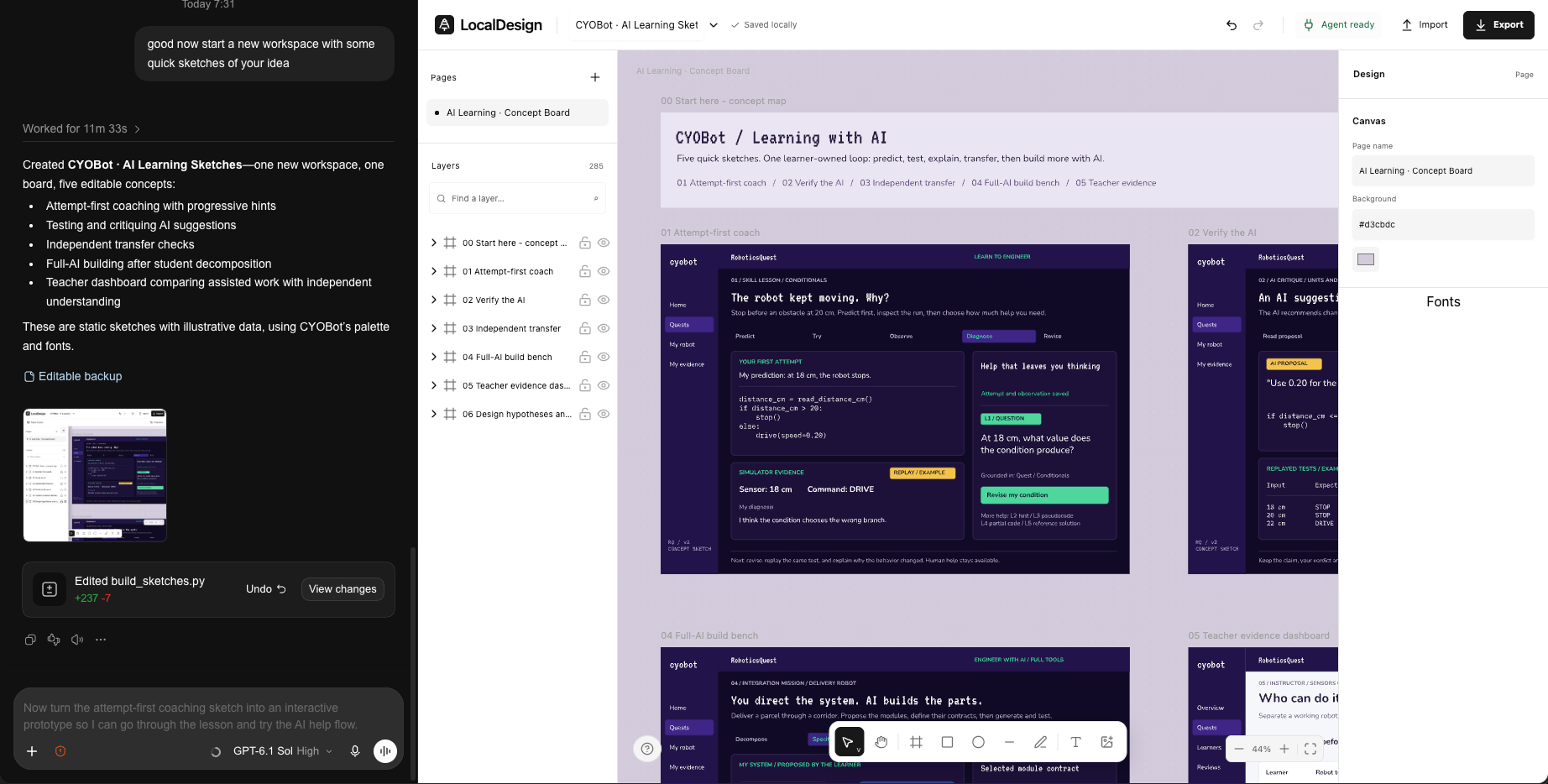
    An external-agent conversation beside LocalDesign, showing a CYOBot concept board with editable frames, layers and the design inspector.

    Design with an external agent.

    Use WebMCP tools to create and refine frames, layers and text with an external agent. Keep the canvas visible alongside the conversation and adjust the result in the editor.